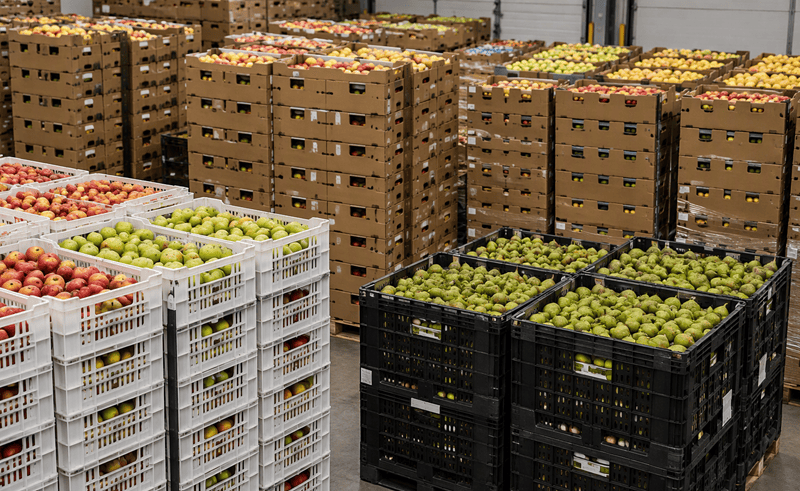
Fresh produce distribution leaves little room for poor visibility. With perishable stock, fluctuating demand, complex purchasing and constant pressure on margins, businesses need accurate information from goods-in through to final dispatch. The right ERP can bring these processes together, helping distributors reduce waste, improve control and make faster, better-informed decisions.
Choosing an ERP system for a fresh produce distribution business requires more than comparing lists of software features.
The platform needs to support the realities of the operation: products with limited shelf lives, changing demand, complex purchasing, warehouse activity, batch traceability and the financial processes sitting behind them.
But there is also a longer-term consideration.
An ERP implementation is an opportunity to decide what the organisation's wider technology environment should look like over the coming years.
For businesses already using Microsoft technology, Dynamics 365 Business Central presents an interesting proposition: an ERP for fresh produce platform that sits within a much wider operational ecosystem of Microsoft 365, Power Platform, Power BI and Copilot.
So how should a fresh produce distributor decide whether it is the right option?
Start With Your Operational Requirements
ERP selection should start with your business rather than the software.
Map what happens from purchasing produce to receiving, storing, selling and dispatching it. Look at where information changes hands, where duplicate administration occurs and where teams use spreadsheets or workarounds to fill gaps in existing systems.
For fresh produce distributors, important requirements are likely to include areas such as:
- Purchasing
- Inventory management
- Batch and lot tracking
- Expiry information
- Stock rotation
- Warehouse management
- Sales order processing
- Supplier records
- Financial management
- Reporting
The key is identifying not only which processes are required, but where your current operation is losing time, visibility or control.
That produces a much stronger ERP specification than simply compiling a long list of features.
Consider The Complexity Of Perishable Inventory
A generic distribution business may be able to focus primarily on quantities and warehouse locations.
Fresh produce businesses have additional considerations.
Different batches of the same product may have very different commercial characteristics according to their age and remaining shelf life.
Your ERP strategy therefore needs to consider how inventory information will support the processes used by warehouse, purchasing and sales teams.
The existing Dynamics 365 for Fruit Distribution article identifies expiry date tracking, batch management, FEFO stock rotation, replenishment and real-time stock visibility as central requirements when managing perishable inventory.
When evaluating Dynamics 365, these requirements should be considered against your actual operating model rather than treated simply as items on a software checklist.
Examine Your Traceability Requirements
Traceability should be another major area of evaluation.
Consider what information you need to retain about products from receipt through to customer delivery.
This becomes particularly important when working across growers, importers, wholesale markets, warehouses and customer locations.
Dynamics 365 can support batch and lot traceability, providing a digital audit trail between goods receipt and outgoing products.
But ERP evaluation needs to go further than establishing that a traceability capability exists.
Your implementation partner needs to understand how products actually move through your particular supply chain and how information needs to be captured at each stage.
Look At Warehousing In The Real World
Software demonstrations tend to show processes working perfectly. Warehouses rarely work like demonstrations.
The important questions are practical. How is stock received? How are locations managed? How do employees know what to pick? How are transfers handled? What happens when information is missing or incorrect? How are multiple locations managed?
Dynamics 365 supports warehouse processes spanning stock locations, picking activities, goods receipts, site transfers and dispatch operations.
During an ERP for fresh produce evaluation, map these capabilities to actual warehouse scenarios.
The system needs to work at the pace of the operation, not simply look impressive in a meeting room.
Don't Evaluate The ERP In Isolation
One of the strongest reasons for considering Microsoft Dynamics 365 is the wider technology strategy surrounding it.
Many organisations already use Microsoft 365 for everyday work. Dynamics 365 provides the opportunity to consider ERP as another component of a broader Microsoft environment rather than an isolated business application.
For fresh produce distributors, that wider ecosystem can include:
Dynamics 365 Business Central for core ERP requirements spanning finance, purchasing, inventory, sales and associated operations.
Microsoft Power Platform for extending processes with low-code applications and workflow automation.
Power BI for business intelligence and reporting.
Microsoft 365 for productivity and collaboration.
Copilot as part of Microsoft's expanding AI capabilities.
The ability to combine ERP with Microsoft 365, Power BI, Power Platform and Copilot is also highlighted within Akita's original Dynamics 365 for Fruit Distribution article. [erpsoftwareblog.com]
For a business assessing its technology strategy rather than simply replacing one accounting package with another, this broader picture deserves serious consideration.
Identify Where Power Apps And Power Automate Fit
ERP projects often uncover processes that sit just outside the traditional ERP.
These may have been managed historically through email, spreadsheets or standalone applications.
This is where Power Platform becomes particularly relevant. Power Apps provides an option for creating applications around business-specific processes, while Power Automate provides workflow automation capabilities.
The strategic question becomes:
What genuinely belongs inside the ERP, and what could be better addressed by extending the solution around it?
That approach can help avoid unnecessarily forcing every operational requirement into the core ERP system.
Think About Reporting Before Implementation
Reporting is sometimes treated as something to tackle towards the end of a project.
It should be considered much earlier.
Identify what management actually needs to know to run the business.
Which decisions are currently difficult because the information is unavailable or slow to obtain? Which reports require repeated manual manipulation? Which operational metrics need much greater visibility?
Defining this early ensures the system is designed around the information the organisation wants to get out, not just the transactions it needs to put in.
Assess What Needs To Integrate
Fresh produce distribution businesses rarely have only one system.
Even after an ERP implementation there may be specialist applications, customer systems or existing technology that needs to remain.
Map these systems and determine which information needs to move between them.
Integration is particularly important where teams currently re-enter information manually or transfer it between spreadsheets and applications.
The aim should not be integration for its own sake. It should be eliminating unnecessary data duplication and creating a clearer, more accurate flow of information through the business.
Don't Underestimate The Implementation Partner
Selecting Dynamics 365 is only part of the decision.
You are also selecting the organisation that will translate your operational requirements into the final solution.
That means prospective partners should be able to discuss more than Business Central functionality.
They should want to understand how your warehouse works, how purchasing decisions are made, how stock is handled, which reporting matters and where existing systems are creating friction.
A good discovery process should also challenge requirements where appropriate.
Just because a process has always been done in a particular way does not necessarily mean the new ERP for fresh produce should reproduce it.
The objective should be to improve the underlying operation rather than digitally recreate inefficient processes.
Is Dynamics 365 The Right ERP For Produce Distribution?
Dynamics 365 Business Central warrants consideration for fresh produce distributors looking to connect core business processes within Microsoft's wider technology ecosystem.
It is especially relevant where organisations want to move away from combinations of legacy ERP, disconnected applications and spreadsheets towards a more integrated technology platform.
However, the right answer depends on operational requirements.
Before selecting a platform, determine the processes that are unique or particularly important to your business, establish what can be supported by standard capabilities and identify where configuration, integration or additional Microsoft technology may be appropriate.
That assessment is considerably more valuable than selecting ERP software from a feature comparison alone.
Discuss Your Requirements With Akita
Akita helps businesses assess, implement and support Microsoft Dynamics 365 solutions.
Our approach starts by understanding the organisation, its processes and its objectives before designing the technology around them. Where requirements extend beyond ERP, our Microsoft expertise encompasses Power Platform and the wider Microsoft ecosystem.
For fresh produce distributors, that means looking at the full operational picture, from finance and purchasing through inventory and warehousing to automation and reporting.
If you're currently reviewing ERP platforms for produce or considering replacing an existing system, speak to Akita about whether Microsoft Dynamics 365 is the right fit for your operation.