
In service-centric organisations spanning facilities management, construction, utilities, and maintenance, workforce scheduling and field productivity are pivotal to operational success.
The pressures of meeting service level agreements, balancing workload across dispersed teams, reducing travel overheads and delivering consistently excellent customer experiences demand technology that goes beyond spreadsheets and manual dispatching.
Microsoft’s business applications, anchored by Dynamics 365 Field Service and extended through workforce optimisation capabilities, answer this business imperative with a unified platform that drives efficiency, accountability and predictive insight.
This article examines how Dynamics 365 delivers practical, scalable scheduling and field productivity tools, the core capabilities that differentiate it from legacy systems, and how organisations can align these features with real business outcomes.
The Business Challenge: Complexity At Scale
Organisations managing mobile workforces face a series of interdependent challenges:
- Coordinating technicians across regions with varying skills and availability
- Ensuring first-time fixes and compliance with service windows
- Responding to unplanned demand such as breakdowns or urgent repairs
- Tracking assets, parts and maintenance histories in real time
- Connecting field activity with broader business processes and performance analytics
In facilities management, for example, stakeholders must deliver preventive and reactive maintenance across multiple client sites while juggling contract variations and SLA requirements. Without an integrated scheduling and field productivity system, companies quickly confront inefficiencies, costly downtime, long travel cycles and suboptimal resource utilisation.
Dynamics 365 Field Service: Core Scheduling and Workforce Capabilities
At its core, Dynamics 365 Field Service combines customer engagement, operational planning, scheduling automation, and mobile field execution into one business application. It goes beyond traditional CRM and enterprise resource planning (ERP) platforms by focusing on service delivery outcomes and workforce coordination.
Intelligent Work Order Management
Work orders sit at the heart of field productivity. They encapsulate service requirements — whether an installation, repair or preventive inspection — and drive scheduling, parts provisioning and task execution. Work orders in Dynamics 365 centralise all relevant data, including customer history, required skills, asset records, location information and SLA commitments.
Using a centralised work order system ensures dispatchers and service managers have visibility over workload, priorities and technician readiness. By automating ticket creation and categorisation, service queues become more predictable and responsive.
Automated Scheduling and Dispatching
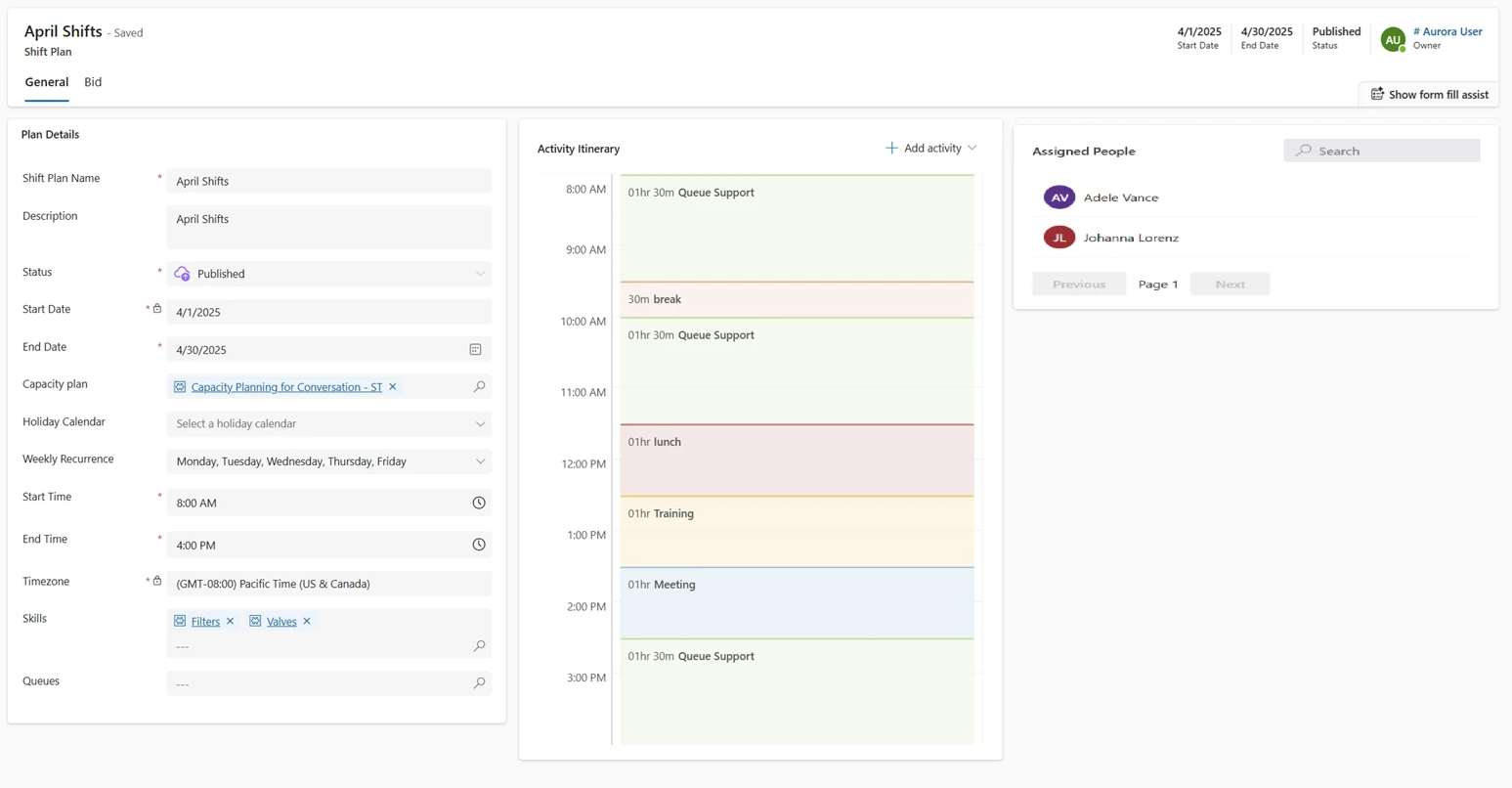
Manual scheduling becomes untenable as service demands grow. Dynamics 365 addresses this with a layered approach:
Schedule Board: A visual interface where dispatchers view technician availability, filter by skills or location, and manually assign or adjust bookings. Real-time updates ensure schedules reflect current conditions, helping teams adapt to cancellations or urgent requests.
Schedule Assistant: Helps identify available resources that best match the job’s criteria, balancing technician skills, travel time and service windows.
Resource Scheduling Optimisation (RSO): For more complex environments with multiple simultaneous bookings, RSO automates scheduling across many work orders at once. It evaluates constraints such as technician skills, geography and customer priorities to assign the right resource to the right job, minimizing travel and maximising daily utilisation.
This automation significantly reduces the administrative overhead of manual planning, enabling service organisations to handle higher volumes of activity without proportional increases in dispatcher workload.
AI-Enabled Scheduling Enhancements
Microsoft continues to invest in intelligent scheduling capabilities. Recent innovations include the Scheduling Operations Agent, which uses Copilot and AI logic to optimise technician schedules as conditions change during the day reactively. This blend of automated and AI-driven scheduling helps organisations remain agile in dynamic environments where new work requests and delays arise unexpectedly.
While foundational optimisation engines like RSO focus on algorithmic efficiency, AI-led scheduling introduces context-aware decision support, enabling planners to understand not just where a field worker should be, but why that allocation supports broader operational goals.
Mobility and Field Execution
After planning comes execution. Field productivity is defined by how quickly and effectively technicians can complete assigned tasks once they’re onsite.
Dynamics 365’s mobile interface empowers field staff with:
- Offline access to work order details
- Turn-by-turn navigation and location intelligence
- Asset histories, service manuals, and compliance checklists
- Real-time updates to job status, parts consumption and time logs
These capabilities reduce reliance on back-office coordination, shorten feedback loops and improve first-time fix rates. Integrations with IoT and remote diagnostics support proactive service triggers, alerting teams to issues before clients escalate.
Analytics, Visibility and Business Intelligence
Scheduling and field productivity improvements are only valuable if they translate into measurable business performance gains. Dynamics 365’s integration with Power BI and embedded analytics surfaces:
- Technician utilisation rates and time-to-completion metrics
- Travel and idle time insights
- SLA compliance and customer satisfaction trends
- Part consumption and inventory shortages
These insights feed strategic planning and continuous improvement functions. For example, identifying peak demand periods informs hiring or subcontracting decisions, while visibility into high travel overheads may lead to new territory assignments or route optimisation programmes.
In facilities management contexts, these analytics support not just workforce scheduling but broader operational optimisation — tracking asset lifecycles, compliance checklists and cross-site activity patterns.
Practical Implementation Considerations
Successful deployments of workforce scheduling and field productivity solutions require deliberate planning and organisational alignment:
Map Current Processes and Pain Points
Before implementing, organisations should map existing dispatch workflows, identify bottlenecks and quantify common service challenges. A thorough diagnostic phase ensures the solution’s design aligns with operational realities.
Define Roles and Responsibilities
Clear assignment of roles - dispatcher, planner, technician, manager - is essential. Dynamics 365 supports role-based interfaces, but these must reflect how teams actually work. Clarity around responsibilities prevents workflow friction post-deployment.
Data Enrichment and Master Data
Accurate scheduling depends on robust data. Technician skills, contractual priorities, asset inventories, and geography must be recorded consistently. Investing time upfront to cleanse and enrich this data increases optimisation accuracy and system reliability.
Training and Change Management
Transitioning from manual to automated scheduling changes behaviours. Comprehensive training for dispatchers and field workers accelerates adoption, while leadership support ensures ongoing optimisation gains.
Tangible Business Outcomes
When deployed thoughtfully, Dynamics 365 for workforce scheduling and field productivity tools unlock measurable benefits:
- Increased revenue per field employee through better utilisation and reduced travel inefficiencies
- Higher first-time fix rates and improved customer satisfaction scores
- Reduced SLA breaches and more predictable service cycles
- Lower administrative overhead and reduced reliance on spreadsheets or disparate systems
- Insights that drive continuous improvement and strategic planning
For facilities managers juggling multi-site obligations, these outcomes translate directly into competitive advantage — enabling more proactive maintenance, tighter compliance control and better contract performance.

Integrating with Broader Microsoft Ecosystems
Dynamics 365’s strength lies not just in field service capabilities, but in its integration with the broader Microsoft ecosystem:
- Teams and Outlook integration helps technicians view bookings and communicate without context switching.
- Power Platform tools automate repetitive tasks such as follow-up surveys or reporting triggers.
- Seamless integration with ERP systems links field activities to finance, inventory and asset planning.
This unified architecture ensures scheduling and productivity data isn’t siloed, but part of an enterprise-wide feedback loop that supports digital transformation.
Moving Beyond Basic Scheduling
Organisations with highly dynamic environments or service mix complexities may require advanced optimisation or third-party enhancements.
Tools that overlay advanced routing logic, multi-day optimisation, and real-time telematics can extend Dynamics 365’s capabilities and support larger scale operations.
Whether built-in features like RSO or extended modules, these enhancements underscore the importance of choosing a flexible platform that grows with operational demands.