Many organisations invest heavily in Microsoft Dynamics 365 to modernise customer engagement, streamline operations, and improve decision-making. Yet the real financial value of the platform rarely comes from implementation alone.
The greatest return is realised in the months and years after deployment, when the system is optimised, users adopt its full capabilities, and performance is continuously refined.
This is where structured post-implementation support becomes critical. Through ongoing management, monitoring, and improvement initiatives such as Microsoft Dynamics 365 optimisation services and a regular Dynamics 365 system health check, organisations can ensure their investment continues to deliver measurable operational and commercial value.
The Gap Between Implementation And Optimisation
A Dynamics 365 implementation establishes the foundation of the platform: core processes, integrations, data structures, and user access. However, business environments evolve rapidly. New operational requirements emerge, departments identify process inefficiencies, and Microsoft continues to introduce platform updates and new capabilities.
Without ongoing oversight, many organisations encounter common issues after deployment:
- Underutilised features that could improve productivity
- Customisations that slow system performance
- Data quality challenges that reduce reporting accuracy
- Workflows that no longer reflect current business processes
- User adoption gaps limiting operational benefits
These challenges directly affect return on investment. A platform that is only partially used or poorly optimised cannot deliver the productivity gains, automation efficiencies, and strategic insights organisations expect.
Structured support services close this gap by ensuring the system evolves alongside the organisation.
How Dynamics 365 Optimisation Services Drive Long-Term Value
Dynamics 365 optimisation services focus on improving system performance, expanding functionality, and aligning the platform with changing business priorities.
Rather than treating the implementation as a static project, optimisation introduces a continuous improvement model.
Improving operational efficiency
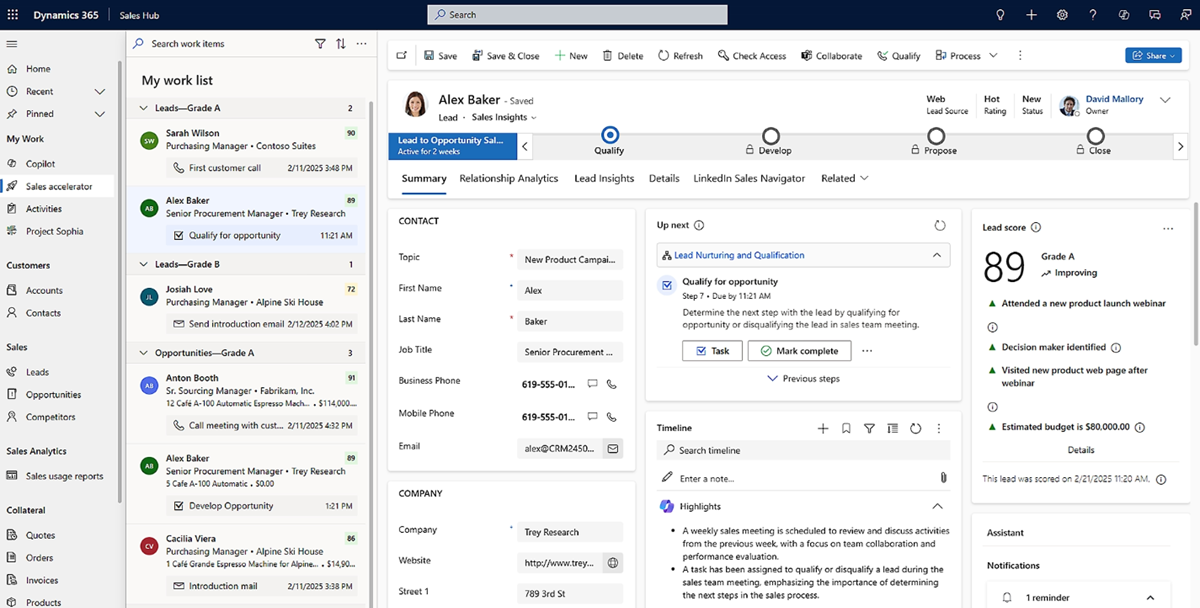
Over time, teams often begin to notice bottlenecks in workflows or manual processes that reduce efficiency. Tasks that were initially designed during implementation may no longer reflect how departments operate in practice, particularly as organisations grow or introduce new processes. Through ongoing optimisation, specialists analyse how the system is being used and how business processes interact with the platform. This allows them to identify opportunities to simplify workflows and introduce automation where it will have the greatest impact.
For example, approval processes within finance or procurement can be automated so that requests move through the appropriate decision stages without the need for manual intervention. Sales teams can benefit from streamlined opportunity management processes that reduce administrative work and allow them to focus more on building customer relationships. Within customer support environments, service case routing can be improved so that enquiries are automatically directed to the most appropriate team or specialist, improving response times and service quality.
Reporting can also be automated, allowing dashboards and management reports to update automatically with real-time data rather than relying on manual data preparation.
By refining workflows and introducing automation in this way, organisations reduce administrative effort and eliminate many of the repetitive tasks that slow down daily operations. This allows employees to focus their time and expertise on higher-value activities that contribute directly to business performance and customer outcomes.
Enhancing reporting and data visibility
Decision-makers depend on accurate and timely data. However, reporting environments frequently become fragmented after implementation as departments develop independent dashboards or export data to external tools.
Dynamics 365 optimisation services review reporting structures to ensure data integrity and consistent business insights across the organisation.
This can include:
- Rationalising reporting structures and data models
- Improving Power BI integration for advanced analytics
- Ensuring executive dashboards align with business KPIs
- Enhancing real-time visibility into sales pipelines or project performance
Improved reporting strengthens leadership decision-making and increases the strategic value of the platform.
Reducing technical debt
Over time, customisations, plugins, and integrations may create technical complexity that slows system performance. In many organisations, these developments accumulate without consistent governance.
Optimisation programmes review the architecture of the system to identify:
- Redundant customisations
- Inefficient integrations
- Legacy workflows
- Unnecessary data fields or entities
Removing or redesigning these elements improves performance, reduces support overhead, and prepares the system for future upgrades.
The Strategic Role Of A Dynamics 365 System Health Check
A key component of effective support services is the Dynamics 365 system health check. This structured assessment evaluates the technical performance, security posture, and operational alignment of the platform.
Rather than reacting to issues after they occur, a health check provides proactive insight into system risks and improvement opportunities.
Assessing system performance
Performance issues can significantly affect user adoption and productivity. A health check reviews technical metrics, including:
- System load times
- Integration performance
- Plugin execution speed
- Database growth and storage usage
Identifying these issues early allows organisations to implement corrective actions before performance affects operational efficiency.
Evaluating security and compliance
Dynamics 365 environments often contain sensitive financial, operational, or customer data. A system health check evaluates security controls to ensure they align with governance requirements.
Areas commonly reviewed include: User access permissions and role structures; Data protection policies; Audit and logging capabilities; and integration security controls
Strengthening these controls helps organisations maintain regulatory compliance and reduce cyber risk.
Reviewing User Adoption And Usage Patterns
Even the most sophisticated platform delivers little value if employees are not using it effectively. A Dynamics 365 system health check analyses system usage data to identify adoption challenges.
This may highlight: features that are rarely used; departments relying on manual workarounds; data entry inconsistencies affecting reporting; and training gaps among users.
Addressing these issues through targeted training or process improvements significantly improves system effectiveness.
Maximising ROI through continuous improvement
When optimisation services and health checks are implemented together, they create a continuous improvement cycle that strengthens ROI.
This cycle typically includes four stages.
Monitoring: System usage, performance metrics, and business outcomes are continuously monitored to identify trends and opportunities for improvement.
Assessment: Regular system health checks evaluate both technical performance and operational alignment with business processes.
Optimisation: Insights from monitoring and assessment inform targeted improvements, including workflow enhancements, integrations, or reporting updates.
Adoption: User training and engagement initiatives ensure employees take full advantage of new features and improvements.
By repeating this cycle, organisations ensure the platform evolves alongside their business strategy.
Aligning Dynamics 365 With Strategic Business Goals
A common challenge after implementation is that technology platforms become disconnected from wider organisational strategy. Dynamics 365 support services help maintain alignment between the platform and business objectives.
For example: Manufacturing organisations may require improved supply chain visibility and production reporting; Construction companies may focus on project management, resource allocation, and site collaboration; Utilities organisations may prioritise field service optimisation and asset management.
Support specialists work with leadership teams to identify how Dynamics 365 capabilities can support these sector-specific priorities. This strategic alignment transforms the platform from an operational system into a driver of business transformation.
Supporting Platform Innovation
Microsoft continuously evolves the Dynamics ecosystem with new capabilities across Power Platform, artificial intelligence, automation, and analytics.
Without proactive oversight, many organisations fail to take advantage of these innovations.
Support providers help organisations identify opportunities to incorporate new functionality such as:
- AI-driven sales insights
- Automated service scheduling
- Advanced analytics using Power BI
- Low-code applications through Power Apps
Adopting these capabilities can significantly enhance operational performance and increase the long-term value of the platform.
Creating A Predictable Support Framework
One of the most practical advantages of structured Dynamics 365 support services is operational predictability.
Instead of reacting to unexpected issues or internal resource limitations, organisations gain access to a dedicated support framework that includes:
- Ongoing technical support
- Regular optimisation reviews
- Scheduled Dynamics 365 system health check assessments
- Strategic roadmap planning
This approach reduces risk while ensuring the platform continues to support business growth.
Turning Dynamics 365 Into A Long-Term Strategic Asset
Successful organisations treat Dynamics 365 as an evolving digital platform rather than a completed IT project.
Through continuous optimisation, performance monitoring, and proactive support, the system becomes a foundation for innovation, operational efficiency, and data-driven decision-making.
Investing in Dynamics 365 optimisation services and conducting regular Dynamics 365 system health check reviews ensures organisations maintain control over system performance, maximise user adoption, and continuously improve business processes.
Ultimately, the organisations that achieve the highest return on their Dynamics 365 investment are those that prioritise ongoing optimisation as a core part of their digital strategy.