Implementing a Customer Relationship Management (CRM) system is a vital step for any business aiming to enhance client relationships and streamline operations.
Poor user adoption is one of the main reasons why CRM projects fail to deliver expected outcomes, often undermining both operational performance and wider digital transformation goals. Strong CRM user adoption is therefore essential if organisations want to realise measurable gains in customer engagement, sales productivity, and cross-team collaboration.
The following ten tips provide a practical framework for ensuring that your CRM user adoption is high from day one and that your system becomes an enthusiastically embraced and effectively utilised platform across the business.
1. Set expectations
Clear expectations are the foundation of CRM user adoption. This should happen early, with team leaders articulating precisely why the CRM is being introduced, how CRM-driven processes will enhance day-to-day workflows, and what success looks like. Establish measurable goals linked to pipeline accuracy, data quality, or response times, and hold teams accountable. A simple recognition or reward structure reinforces positive behaviours and accelerates CRM user adoption.
2. Create a CRM user adoption strategy
A structured CRM user adoption strategy avoids the drift that often follows go-live. Many organisations underestimate the level of behavioural change involved in embedding new systems. A documented roadmap, aligned to project milestones and backed by leadership sponsorship, ensures consistent momentum. Define change champions, outline communication cadences, and set checkpoints so you can adjust the adoption strategy in real time.

3. Offer content-rich training
Effective CRM user adoption relies on training that develops confidence as well as competence. Training must extend well beyond introductory sessions, enabling users to handle advanced processes, automation rules, reporting tools, and bespoke workflows. Blend formats—video walkthroughs, sandbox environments, in-person workshops, and self-serve resources—to suit different learning styles. Users who feel capable are far more likely to sustain CRM user adoption over the long term.
4. Involve users
Involving users from the outset creates ownership and significantly boosts CRM user adoption. When individuals feel their insight shapes the system—whether through feedback sessions, prototype reviews, or user-acceptance testing—they invest more energy in ensuring it works effectively. Participation also surfaces operational nuances that might otherwise be missed, reducing friction post-implementation.
5. Personalise your CRM
Relevance drives CRM user adoption. Tailoring fields, views, dashboards, and workflows to match your operational model ensures that teams see the CRM as an enabler rather than an administrative burden. While out-of-the-box setups offer a useful baseline, small configuration adjustments or modest development investment produce a more intuitive user experience and encourage sustained CRM user adoption.
6. For optimal CRM user adoption, keep it simple
Overly complex systems hinder CRM user adoption. Strip out redundant fields, simplify forms, and ensure user journeys mimic real-world tasks. A focused interface prevents cognitive overload and keeps teams aligned to essential actions—logging interactions, updating opportunities, and maintaining records. Working with an experienced CRM developer ensures simplicity is built into the core design.
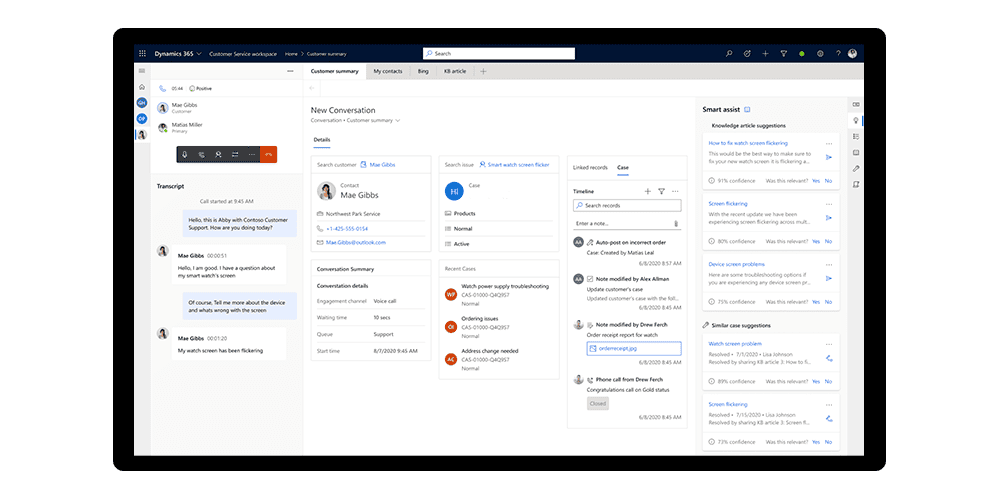
7. Communicate openly between teams
Overly complex systems hinder CRM user adoption. Strip out redundant fields, simplify forms, and ensure user journeys mimic real-world tasks. A focused interface prevents cognitive overload and keeps teams aligned to essential actions—logging interactions, updating opportunities, and maintaining records. Working with an experienced CRM developer ensures simplicity is built into the core design.
8. Replicate social tools
CRM user adoption improves when familiar digital behaviours are embedded into the system. Social-style features—activity feeds, tagging, commenting, or integrated chat tools—make collaboration effortless and reduce reliance on email chains. Evaluate which tools your teams already use every day and consider whether integrating or replicating them inside the CRM will streamline workflows.user adoption is easier if users can apply functions they are already familiar with, and that includes social tools. Investigate whether relevant social tools can be integrated into your CRM system - it may just save time as well.
9. Integrate apps to help CRM user adoption
Seamless integration with existing applications reduces friction and accelerates CRM user adoption. Connect your CRM to Outlook, SharePoint, and marketing automation platforms so users can work within their preferred tools without duplicating effort. When the CRM becomes part of a natural workflow rather than a separate administrative task, adoption rises sharply.
10. Keep CRM usage issues open and public
Issues left unaddressed can quickly undermine CRM user adoption. Maintain a transparent forum where users can raise challenges, request enhancements, and share solutions. Tackling concerns publicly reinforces trust in the system, reduces negative sentiment, and ensures that scepticism does not spread.
CRM User Adoption: Next Steps
Effective adoption of a CRM system such as Microsoft Dynamics 365 extends well beyond initial go-live. Investing in comprehensive CRM training strengthens confidence, accelerates CRM user adoption, and maximises the value drawn from core features and automation capabilities. When staff are fully equipped to use Dynamics 365 as intended, organisations gain more accurate reporting, faster workflows, and a stronger return on investment—turning CRM user adoption from a challenge into a long-term competitive advantage.
Akita supports CRM adoption through our Microsoft Dynamics 365 services. For more please get in touch: